
Reports Hub for Philippine HR teams.
PRIMIS Reports Hub helps Philippine HR and payroll teams select report definitions, set filters and columns, review previews, and manage authorized exports, templates, and scheduled delivery.
Example monthly time savings
500-employee example: assumed minutes saved across the company on 120 report scope setups, 120 column preparations, 120 export preparations, and 60 saved-report reuses per month.
- Report scope setup
- 30 hrsper month15 min saved × 120 setups
- Column preparation
- 20 hrsper month10 min saved × 120 preparations
- Export preparation
- 20 hrsper month10 min saved × 120 preparations
- Saved report reuse
- 15 hrsper month15 min saved × 60 reuses
Know the scope. Review the result.
Two exports can cover the same month and still answer different questions. Check which employees, dates, and fields are included before sharing the result.

Start with the question. Choose the right report.
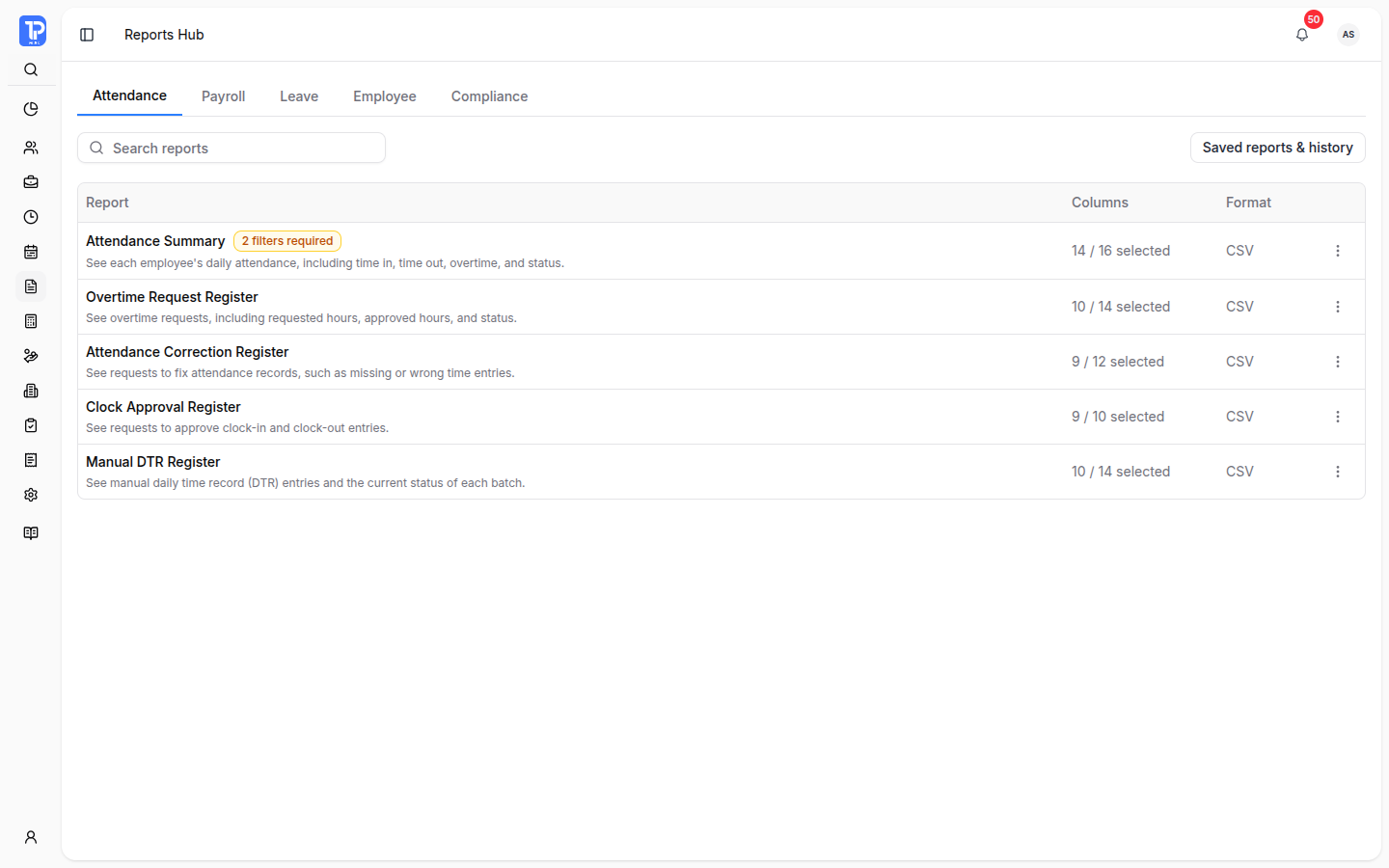
Search report names or browse Attendance, Payroll, Leave, Employee, and Compliance. The catalog explains what each report covers before you set its filters and columns.
-
Attendance Summary
One employee workday per row, with time entries, attendance status, and worked-time details.
-
Payroll Register
One employee result per payroll period, including gross pay, deductions, and net pay.
-
Contribution reports
Review the selected period’s employee and company shares for SSS, PhilHealth, or Pag-IBIG.
Available reports depend on workspace access and permissions. Filters, columns, output formats, and supported split groupings belong to each definition.
Set the scope. Review before exporting.
Complete the required filters, select and order the available columns, then generate a bounded preview. Check that the result matches the question before queuing the file.
An Attendance Summary setup
- Department
- Finance
- Date range
- 1–15 October 2026
The final export covers the matching scope.
-
Filters and columns
The setup identifies missing required filters. Sensitive columns remain subject to access checks.
-
Preview and totals
A preview contains a limited number of rows. Review the scope summary and distinguish preview totals from available totals for all matching records.
-
Export status
Queue the supported format and follow processing status. Completed files have private download actions; failed jobs expose available retry information.
Previewing and exporting use separate permissions. Downloaded artifacts have a configured availability period.
Keep the useful setup. Follow the next delivery.
Return to saved configurations and processing history, or use supported splits and schedules when the same reporting need comes around again.
Scheduled report delivery
Authorized users can schedule weekly or monthly exports.
- Schedule
- A report configuration with its recurrence and time.
- Process
- The schedule queues normal report jobs.
- Download
- A private app download link is sent when the output is ready.
-
Saved templates
Keep a named setup with its filters, columns, and format for the next run.
-
Processing history
Find status, configuration, and available downloads. Company-wide history requires additional permission.
-
Split exports
Plan separate files using the report’s supported grouping, such as period, department, employee, or date range.
Questions about Reports Hub
A closer look at report access, preview limits, output options, and recurring delivery.
No. Catalog entries, sensitive columns, preview and export actions, saved-template management, scheduling, and company-wide history are controlled by workspace access and permissions.
No. The preview is bounded. It shows returned rows and distinguishes preview totals from totals covering all matching records when those totals are available.
No. Each report definition sets its supported output formats and split groupings. The setup and split-export controls expose the options supported for the selected report.
Authorized users can schedule weekly or monthly exports. The schedule queues report jobs and sends a private app download link when the output is ready. Access and artifact availability remain controlled.
Give every workforce report a dependable source.
Discuss your reporting categories, required filters, reusable templates, export controls, schedules, and delivery requirements with PRIMIS.