
Attendance reflects approved leave
Related time records can be tagged and reconciled against the approved leave window. Keep the leave decision connected to how those dates are treated in attendance.
Explore attendance managementThe PRIMIS leave management system helps Philippine HR teams apply leave policies and credits, route employee requests to the right approvers, and keep approved leave connected to attendance and payroll.
Example monthly time savings
500-employee example: assumed minutes saved across the company on 300 requests and credit checks, two handoffs per request, and 240 attendance follow-ups per month.
Review leave with the details that matter: available credits, requested dates, and approval progress. PRIMIS helps HR follow each request and keeps approved leave connected to attendance and payroll.
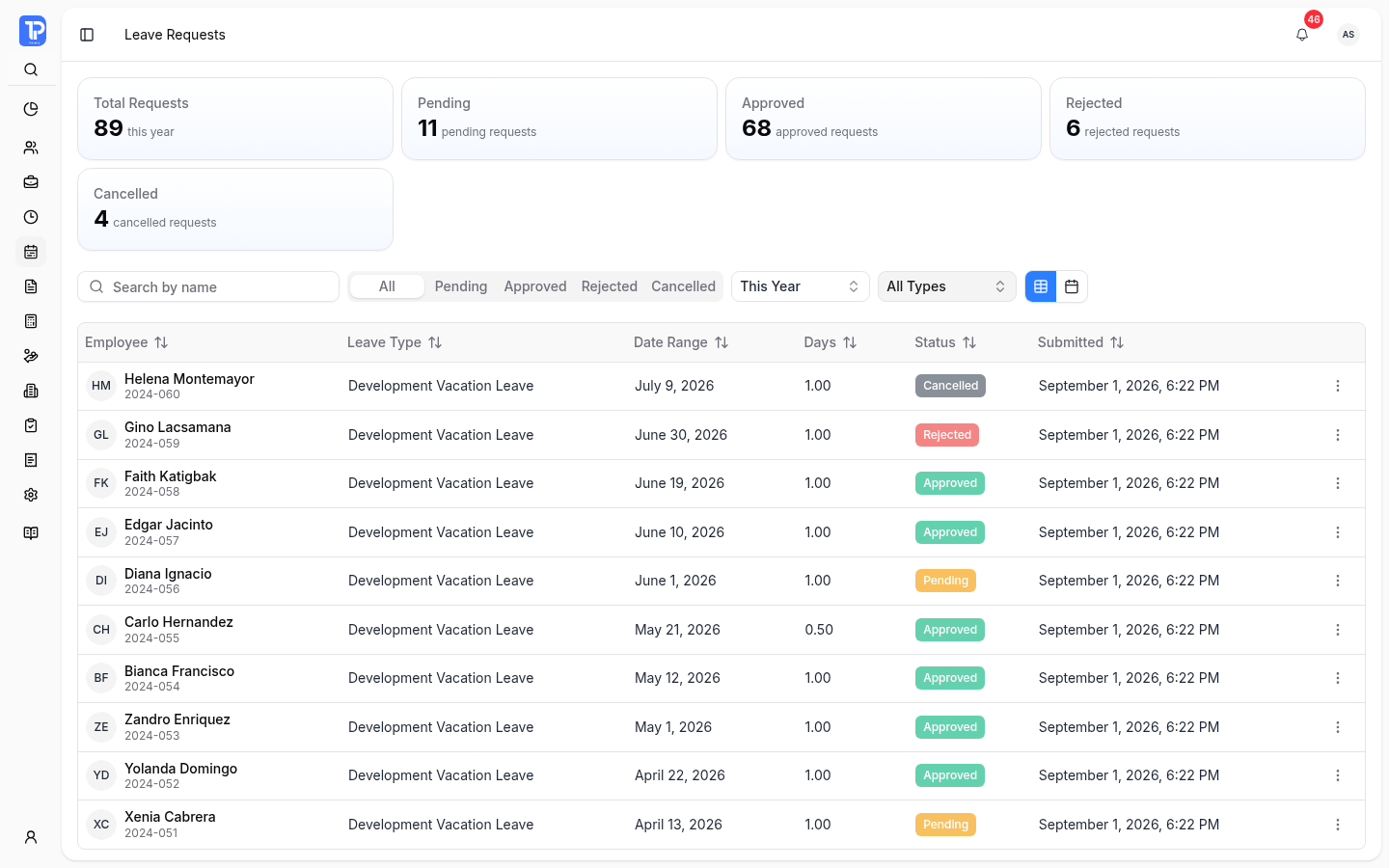
Find the request, check the dates, and see where it stands. PRIMIS brings leave details and decision status into one workspace, so HR can follow up without piecing together separate lists.
Search by employee name and filter by status, leave type, or date range. Narrow the list to the requests you need to review.
Use the table for request details or the calendar to see leave dates together. Review requested days and paid or unpaid treatment before deciding.
Keep pending, approved, rejected, and cancelled requests visible. Open a request to review its details and approval progress.
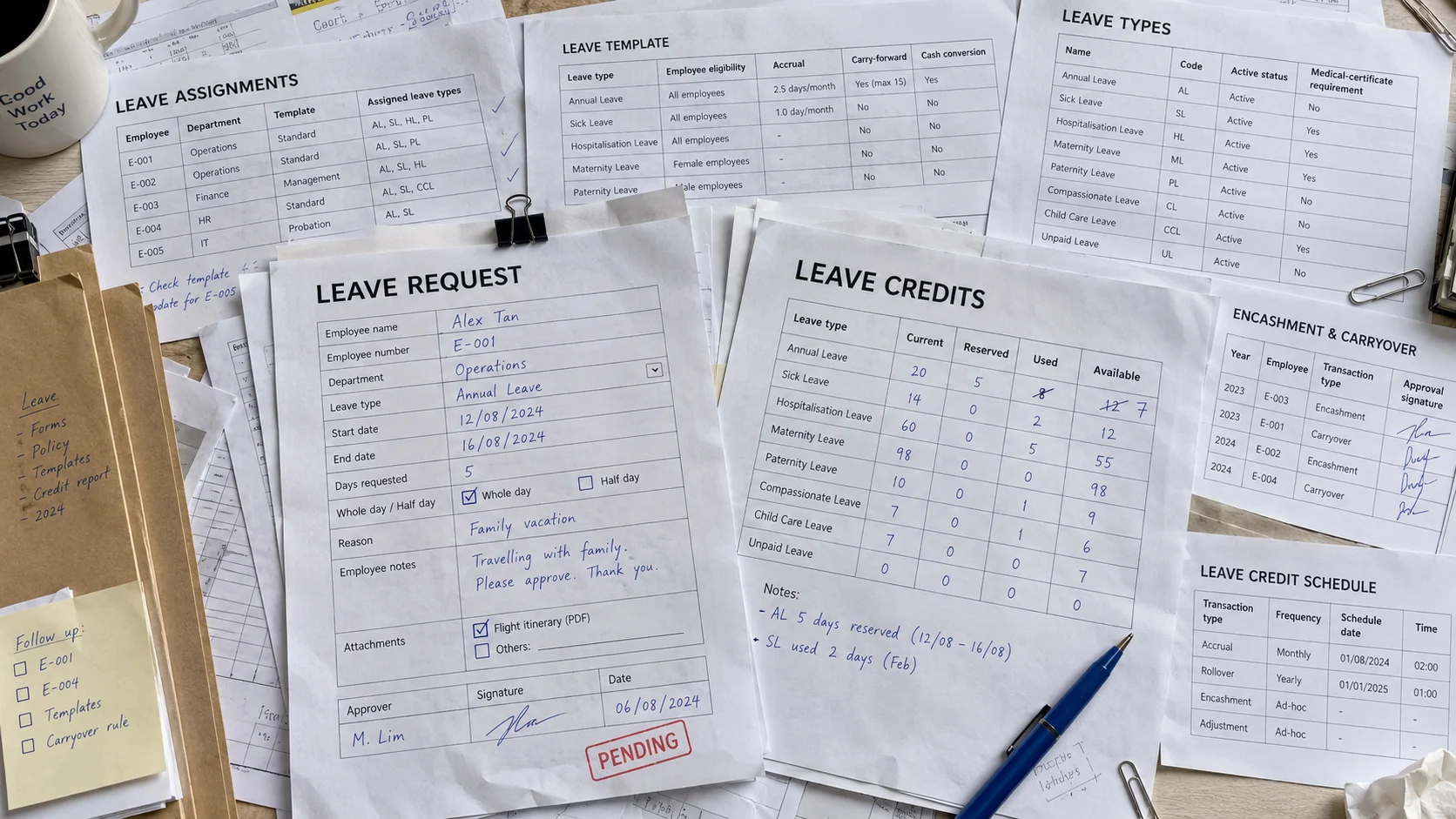
Keep available credits separate from days already used or reserved for pending requests. Leave types, templates, and employee assignments define how your company’s rules apply.
Pending reservations are already set aside. On approval, qualifying reserved credits move to used credits.
Authorized HR staff configure leave types, eligibility, accrual behavior, and policy rules. Reuse templates rather than setting up each employee’s policy from scratch.
Assign the appropriate leave template to employees. Review assignments so the applicable policy and credit setup are clear.
Inspect opening, accrued, adjusted, and used credits. Where configured, carry-forward and encashment transactions are part of the balance breakdown.
Paid and unpaid leave stay distinct. Qualifying paid leave reserves and consumes credits. Unpaid leave does not consume paid-leave credits.
An approved request affects more than a leave balance. PRIMIS connects the decision to related attendance records and keeps payroll changes available for review.
Choose the route defined for the employee and request type.
Related time records can be tagged and reconciled against the approved leave window. Keep the leave decision connected to how those dates are treated in attendance.
Explore attendance managementWhen approved or changed leave affects an already processed payroll, PRIMIS can generate payroll adjustments for review. The outcome depends on the source records and payroll state.
Explore payroll managementChanging approved leave needs context. Before payroll processing, cancellation can restore credits and recalculate attendance. If payroll already included the leave, attendance changes require a payroll adjustment or explicit recalculation. Behavior follows company policy, source records, and permissions.
A closer look at credits, company policies, approval routes, and payroll impact.
PRIMIS reserves and consumes credits for qualifying paid-leave requests according to configured policy. Unpaid leave does not consume paid-leave credits.
Yes. Authorized users can configure company leave types and connect them to templates, policy rules, and employee assignments.
Requests follow the configured approval rule for the employee and request type. Rules can use sequential or parallel steps, or explicit no-approval behavior.
Yes. Approved leave updates attendance context and can generate payroll adjustments when previously processed payroll is affected.
Discuss leave types, credits, approval routing, attendance behavior, and payroll impact with PRIMIS.
Enter the workspace code provided by your organization.