Recruitment management for Philippine HR teams.
The PRIMIS recruitment management system helps Philippine HR teams manage job postings, applications, interviews, offers, and employee conversion with the hiring context together.
Example monthly time savings
Example active-hiring month for a 500-employee company: assumed minutes saved across the company on 360 pipeline updates, 480 application reviews, 120 interview follow-ups, and 24 employee-record handoffs.
- Candidate pipeline updates
- 30 hrsper hiring month5 min saved × 360 updates
- Application reviews
- 40 hrsper hiring month5 min saved × 480 reviews
- Interview follow-ups
- 20 hrsper hiring month10 min saved × 120 follow-ups
- Employee-record handoffs
- 12 hrsper hiring month30 min saved × 24 handoffs
Know the candidate. Prepare the conversation.
Before an interview, bring the resume, role requirements, and application stage into view. PRIMIS helps HR review that context, coordinate the interview, and return to recorded feedback.

Keep the role in view. Give every application context.
Start with the opening, its requirements, and the hiring path. Applicants and HR reviewers can return to the same role details throughout the decision.
-
Define the opening
Set the department, position, location, employment type, and headcount. Add required and preferred skills, experience, education, and optional public salary information.
-
Receive applications for the role
A published posting provides a direct application link. Authorized HR staff can also add an application and its resume from the workspace.
-
Choose the review path
Reusable pipelines define stage names, types, and order. The posting's pipeline is fixed after applications have been received.
What a role brief carries
Customer support · Regular employment
- Minimum experience
- 1 year
- Required skillCustomer service
- Required skillDocumentation
- Preferred skillSpreadsheet reporting
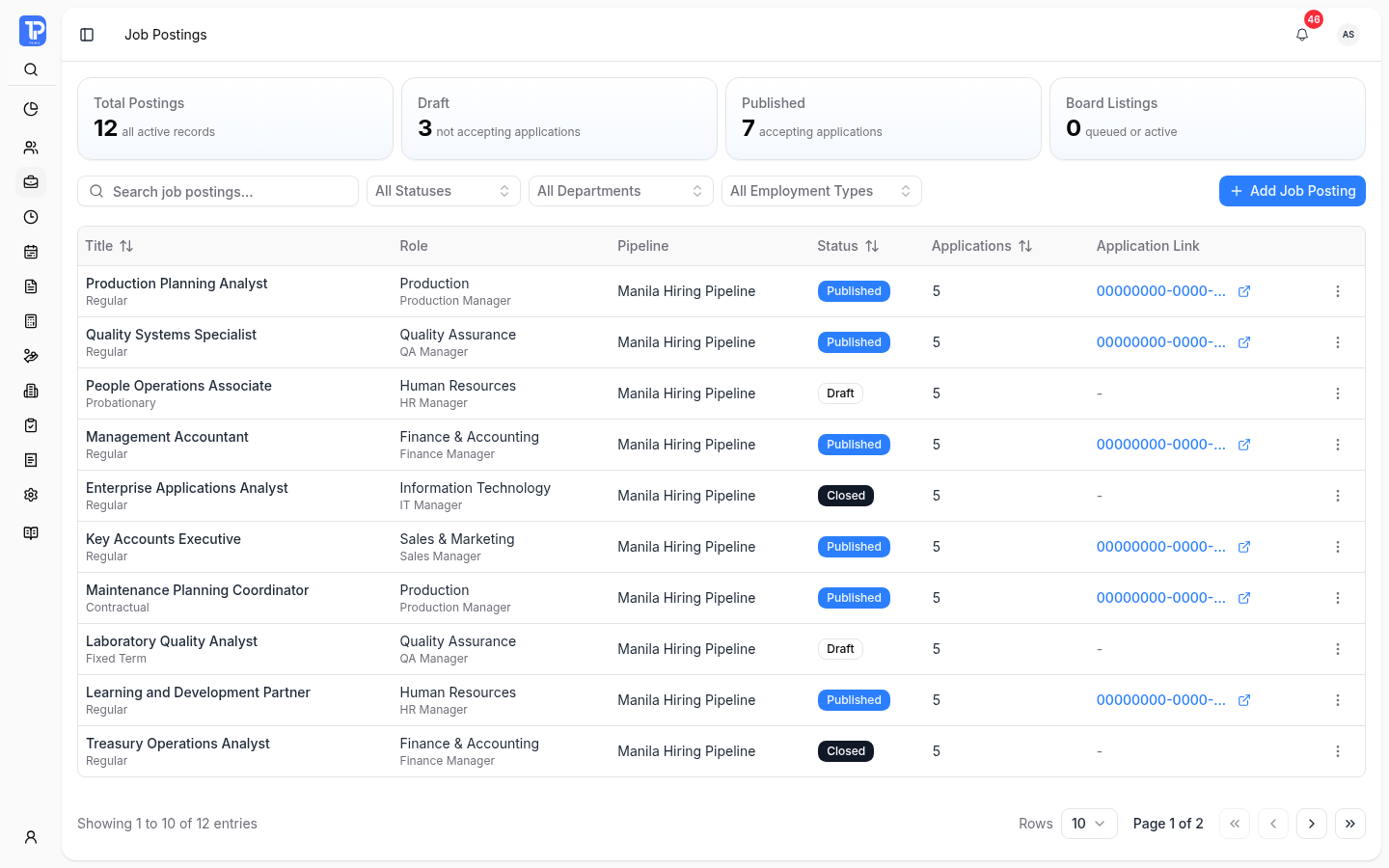
Recruitment Job Postings
PRIMIS product preview with illustrative demo data.
Open original image in a new tab
Review the evidence. Decide the candidate's next step.
Open an application to see the resume, role requirements, current stage, and activity history before deciding what happens next.
-
Application review
Find applications by job, year, stage, and conversion status. Where assistive screening is enabled, review the score with its criteria snapshot, matched and missing requirements, and evidence. The score is advisory; HR makes the hiring or rejection decision.
-
Interview coordination
Set the candidate, interviewers, host, location, and schedule. Optional candidate time slots support shared interview sessions. Review submitted ratings, recommendations, and comments from the application.
-
Offer response
Record the proposed start date and compensation terms, then the candidate's response. Moving a stage alone does not create an accepted offer.
Google Calendar and Meet features require configured credentials, an account connection, and enabled company settings. Scheduling and feedback actions also depend on permissions and the current interview state.
Make the handoff explicit. From candidate to employee.
Conversion Requests gives HR a separate place to follow the signed contract, approval flow, and resulting employee record.
-
Check the prerequisites
An accepted offer and signed contract are required before a conversion request can proceed. The role needs its required employment fields, available headcount, and a configured conversion approval rule.
-
Create the employee record after approval
Approved conversion creates the employee record and copies the signed contract into its documents. The request retains its link to the source application.
Explore the employee record after conversion
All Requests and My Requests, approval actions, and watcher views depend on access. Recruitment requires Core and may be included in a configured plan or enabled as an add-on; confirm your organization's entitlement with PRIMIS.
Questions about Recruitment
Application intake, assistive screening, conversion prerequisites, and access.
Yes. Publishing a job posting provides a direct application link. Applicants can review its role requirements and submit their details and resume. HR can also add an application from the workspace, subject to permissions.
No. Assistive screening is advisory and depends on the posting configuration. HR must review the criteria snapshot, matched and missing requirements, and evidence before making a hiring or rejection decision.
Conversion requires an accepted offer, a signed contract, required job-role fields, available headcount, and a configured conversion approval rule. Approved conversion creates the employee record and copies the signed contract into its documents.
Recruitment requires Core and may be included in a configured plan or enabled as an add-on. Actions depend on permissions. Google Calendar and Meet features also require configured credentials, an account connection, and enabled company settings. Confirm your organization's entitlement with PRIMIS.
Build a recruitment workflow your team can follow.
Discuss your job-posting, pipeline, screening, interview, offer, and employee-conversion process with PRIMIS.