
Compliance issues
Review missing or inconsistent required details through the directory’s follow-up views, where permissions allow.
PRIMIS helps HR teams search employee records, review profiles and documents, and handle document and separation requests in one HRMS.
Example monthly time savings
500-employee example: assumed minutes saved across the company on 1,200 record lookups, 180 document requests, two approval handoffs per request, and 360 stored-file checks per month.
Tired of searching through folders and carrying requests from desk to desk? PRIMIS brings employee records, documents, and approval workflows together, so your HR team spends less time chasing paperwork.

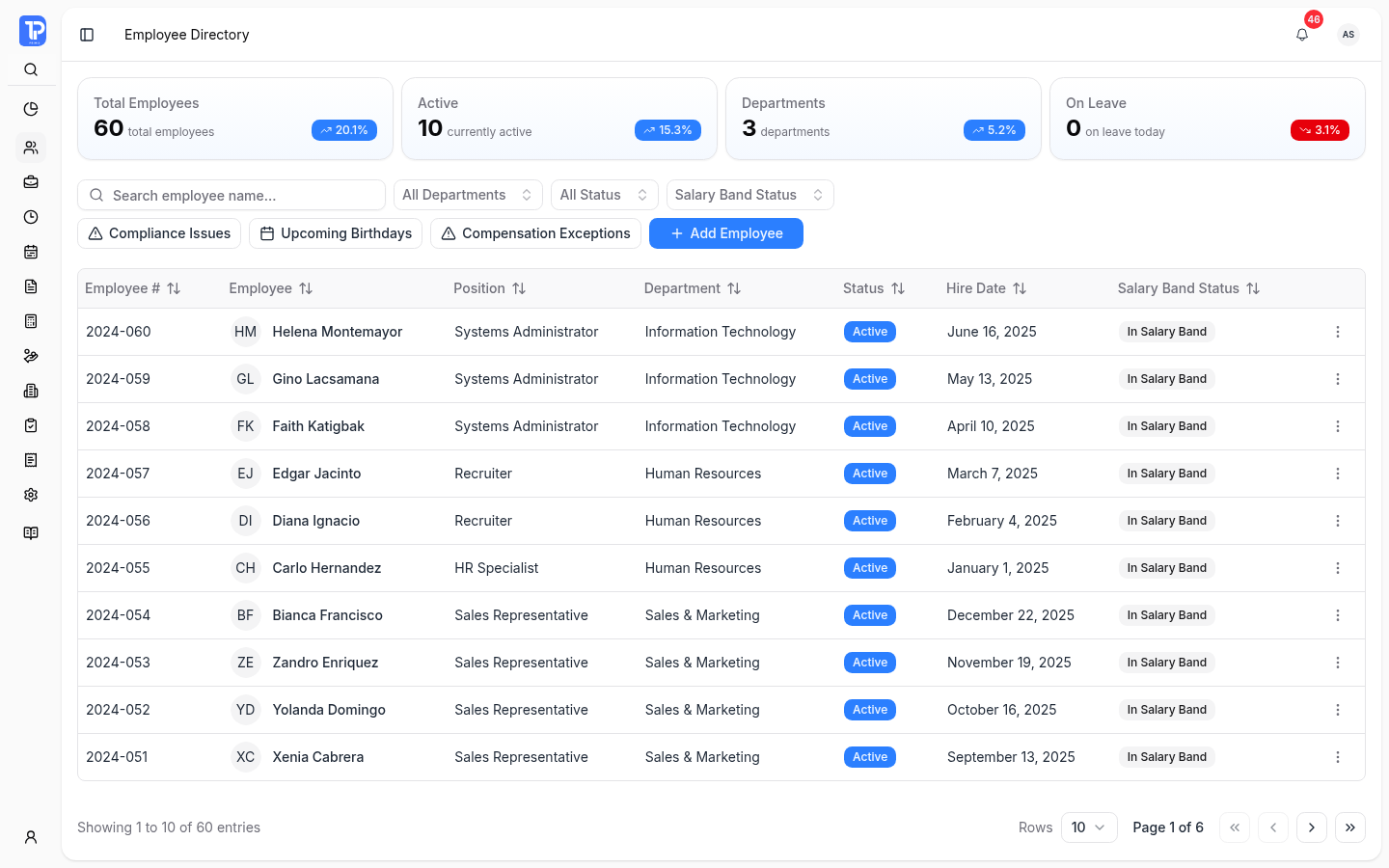
Find the employee record you need by name, department, or employment status. Open the profile for contact details, employment information, and stored files.
Try the view-only directoryFind contact details, addresses, and emergency contacts together in Overview. Get the context you need before reaching out to an employee.
Review department, hire date, employment type, and TIN, SSS, PhilHealth, and Pag-IBIG identifiers. Authorized HR staff can add employees and update their information.
Search files by name or type, check expiry dates, and upload where authorized. Stored files stay with the employee; document requests follow their own workflow.
View Document Types (new tab)Profile sections and actions follow your assigned permissions and department scope.
Search a name. Narrow the list. Open the record.
Try searching, filtering, or opening an employee. All records are fictional.
| View details | |||||||
|---|---|---|---|---|---|---|---|
No matching employeesTry another name or clear your filters. | |||||||
View-only demo · fictional employee records
These sample entries demonstrate stored files. No employee documents are available for download.
Sample follow-ups for missing employee details.
Active employees with birthdays in the next 30 days.
Sample salary band exceptions, separate from the employee directory.
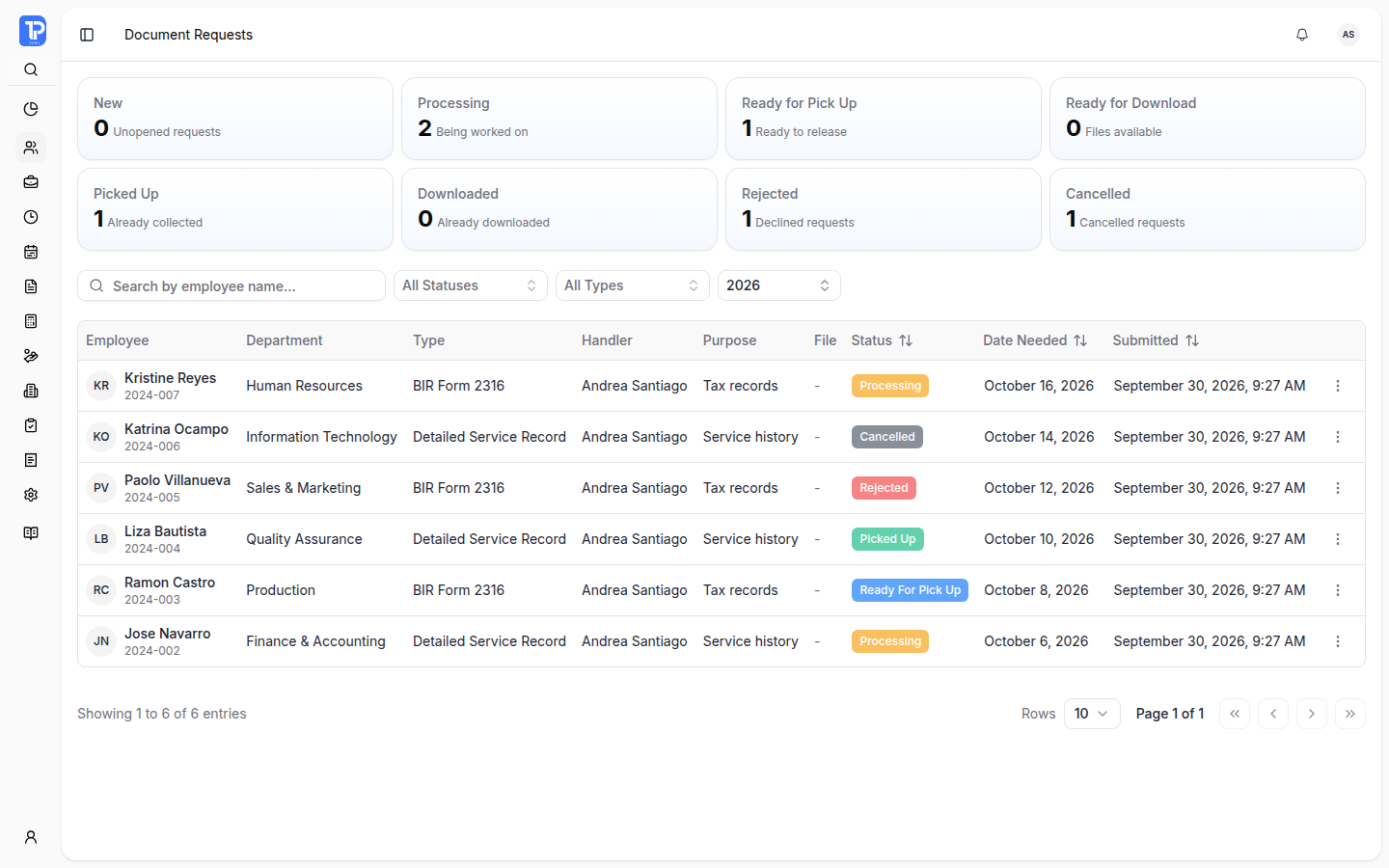
Keep the employee, purpose, handler, and date needed with the request. Follow the review and fulfillment in one place instead of carrying paperwork between reviewers.
Filter document requests by status, document type, or year when your team needs to follow up.
PRIMIS product preview with illustrative demo data.
 Open original image in a new tab
Reviewers record the decision through the configured approval flow. Later fulfillment stages remain distinct from the current Processing state.
Reviewers still make the decisions. Steps and actions depend on assigned permissions and your configured flow. Requests can also be rejected or cancelled.
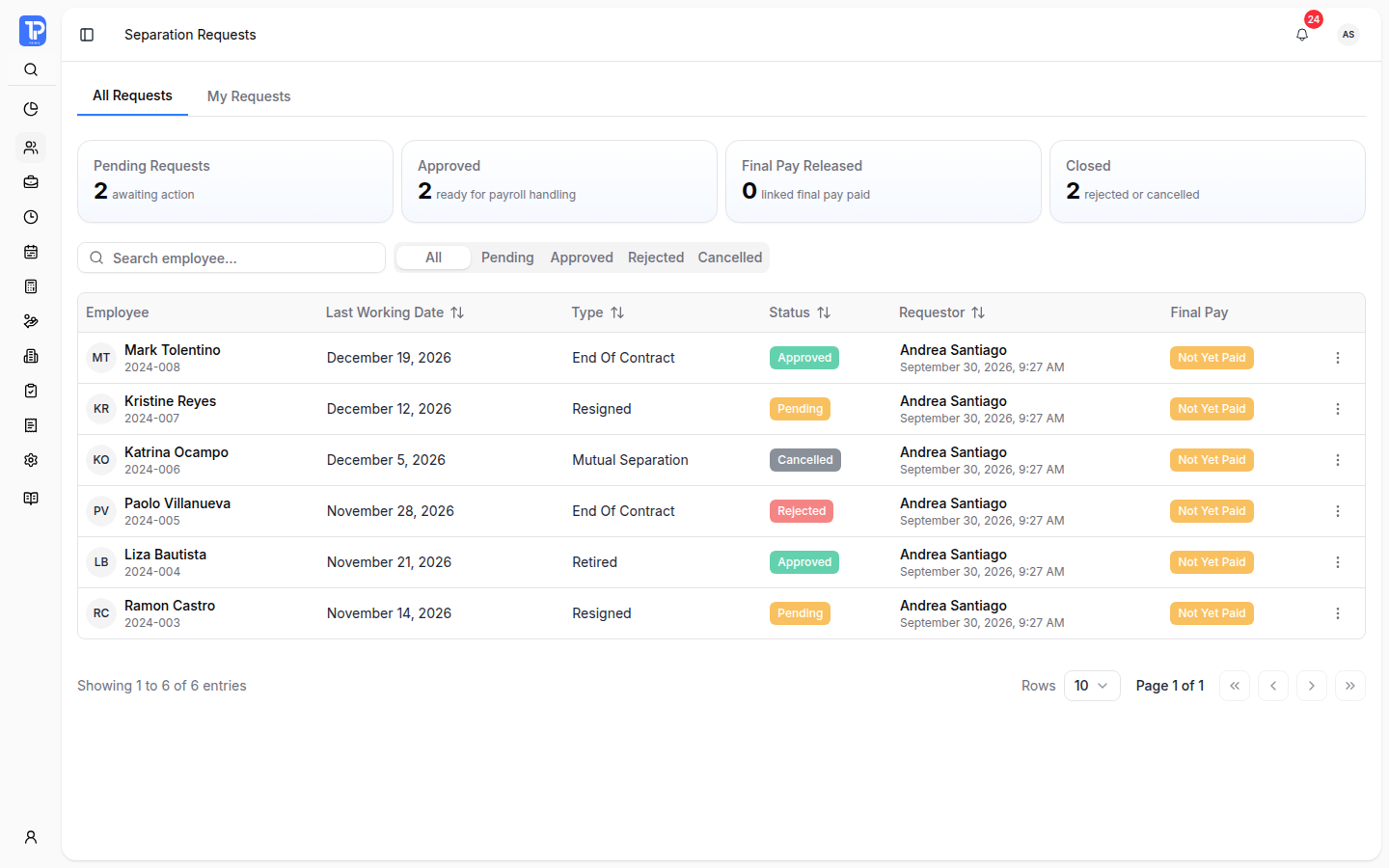
Check the employee, separation type, requestor, and approval status together. Keep the last working date visible while reviewing the next authorized action.
Approval decision remains with the reviewer.
Separation approval and final-pay processing are separate steps.
PRIMIS product preview with illustrative demo data.
 Open original image in a new tab
Keep the everyday follow-ups close to your employee records.
Review missing or inconsistent required details through the directory’s follow-up views, where permissions allow.
See birthdays approaching in the next 30 days without opening profiles one at a time.
Review salary band exceptions in a dedicated view, separate from ordinary employee search.
Access follows assigned permissions and department scope. Department-limited users see a restricted Overview; Employment & Compliance and Documents are hidden.
How employee information, document requests, and access work in PRIMIS.
A department-scoped user sees a limited employee directory and Overview. Employment & Compliance and Documents are hidden from that profile view. Available actions also depend on assigned permissions.
Yes. Files attached to an employee profile live in Documents, where authorized users can search by name or type and inspect expiry dates. Document Requests is a separate workspace for tracking a requested document through handling and fulfillment.
The Document Requests workspace shows the request status, document type, employee, purpose, handler, file, and date needed. HR can filter by status, document type, or year; authorized handlers can act on the request.
No. A separation request records the last working date and separation details, and follows the configured approval flow. PRIMIS shows final-pay context in the separation workspace, but final-pay processing is handled separately.
Employee Portal access follows the company’s configured post-separation grace period. HR can review the separation details and approval state in the request workspace before taking the next authorized action.
Walk through employee records, document requests, and approval handoffs in a PRIMIS demo.
Enter the workspace code provided by your organization.