
Submission evidence
Record the date and reference. Annual Form 2316 records also capture the channel, external acceptance status, signed certificate bundle, and required response evidence.
PRIMIS helps Philippine HR and payroll teams track government-form records, reconcile annual employee values, and prepare Form 2316, Form 1604-C, and DAT artifacts for external filing.
Example monthly time savings
Example filing month for a 500-employee company: assumed minutes saved across the company on 300 filing checks, 240 supporting-record checks, 500 annual employee reconciliations, and 120 artifact reviews. Annual BIR work is seasonal.
Filing preparation brings employee values, generated forms, and supporting records together. PRIMIS helps HR track the filing period and review the related annual BIR files. Official validation, external submission, and payment remain separate steps.

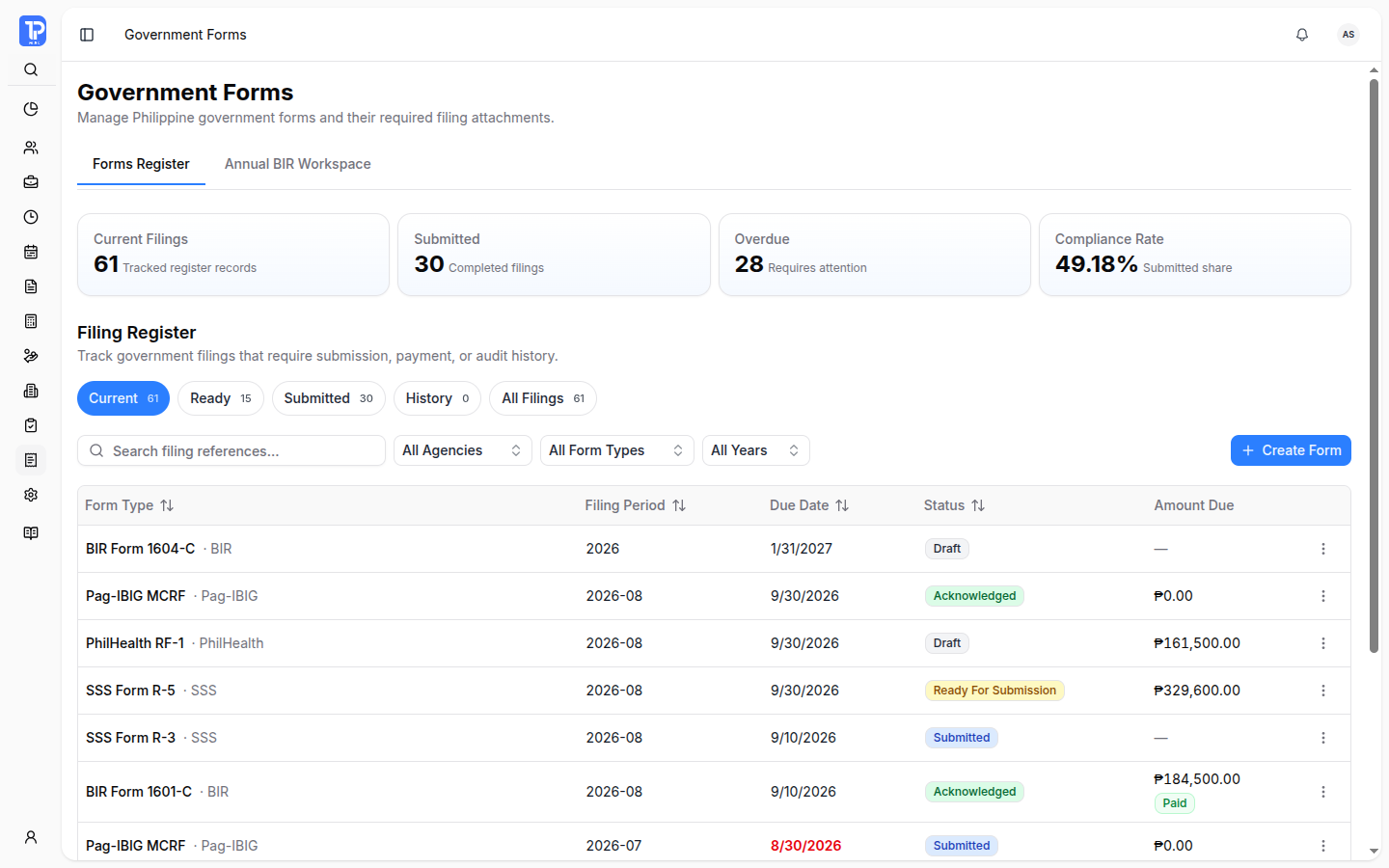
Review periods, due dates, amounts, and recorded status without piecing together separate lists. Government Forms keeps each filing close to its supporting information.
PRIMIS product preview with illustrative demo data.
Open original image in a new tab
Search references and filter by agency, form type, or year. Return to Current, Ready, Submitted, History, or All Filings views.
Open the form’s summary to inspect its period, due date, applicable amounts, and available artifacts.
Review attachments, recorded submission details, and applicable payment information. Actions depend on form type, state, and permissions.
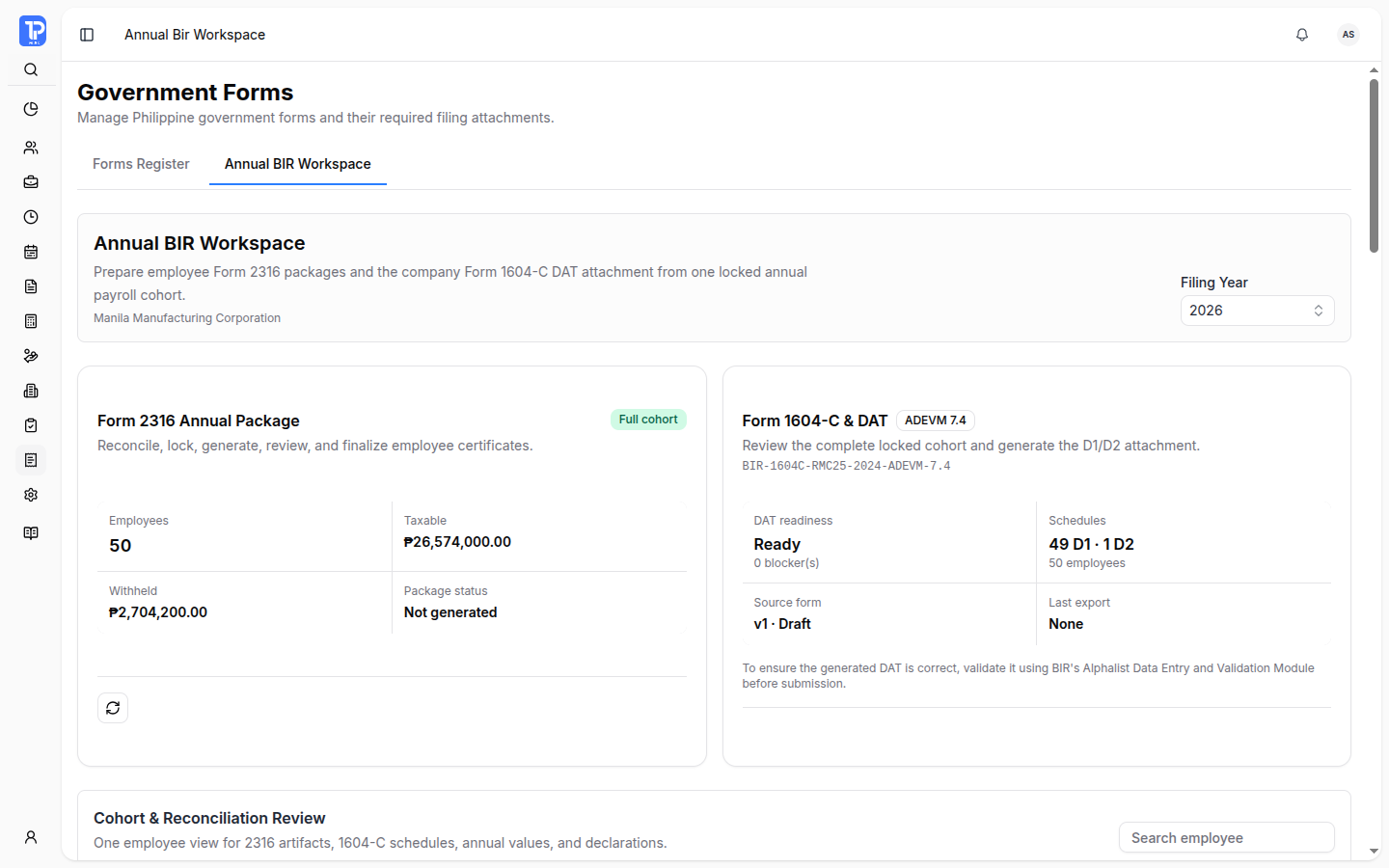
The Annual BIR Workspace keeps employee Form 2316 packages and company Form 1604-C and DAT outputs tied to the same annual payroll cohort.
PRIMIS product preview with illustrative demo data.
 Open original image in a new tab
Retained with its annual package version.
Tied to the annual package.
Separate official validation.
Choose the filing year and review the annual employee values before preparing the related artifacts.
Review annual values, declarations, and prior-employer information. Resolve readiness blockers and lock the current reconciliation snapshots before package preparation.
Generate and inspect employee artifacts. Package history retains version context; export, finalization, and amendments have permission and readiness checks.
Inspect computed-value assurance and the selected package’s DAT output. Official BIR validation remains a separate step before submission.
Payroll-item classification and declared prior-employer values still need HR review. A readiness result or generated file does not establish BIR acceptance.
After the authorized external filing or payment, keep the reference and evidence with its PRIMIS record so another reviewer can follow what happened.
Record the date and reference. Annual Form 2316 records also capture the channel, external acceptance status, signed certificate bundle, and required response evidence.
Keep the amount paid, date, method, and reference for forms that support payment records. Review payment separately from preparation and submission status.
External actions remain separate. PRIMIS does not submit forms or transfer payments directly to government agencies through this workspace.
What preparation covers, what needs review, and what remains an external filing step.
No. This workspace prepares supported artifacts and records external submission or payment details. Authorized filing, payment, and official acceptance remain separate steps.
The selected employees need current locked annual reconciliation snapshots. HR must review declaration values and readiness blockers; generation, export, finalization, and amendment each require the corresponding permission and checks.
No. DAT readiness and computed-value assurance support internal review. Official BIR validation and external submission remain separate, and HR still needs to review payroll-item classification and declared prior-employer values.
Yes. Package history retains version context and available employee artifacts and DAT outputs. Access, download availability, and retention actions depend on permissions and the package’s state.
Discuss your required forms, annual BIR process, review responsibilities, and filing evidence with PRIMIS.
Enter the workspace code provided by your organization.