
Performance management for Philippine HR teams.
The PRIMIS performance review system helps Philippine HR teams build questionnaires, define review cycles, resolve assessor coverage, and review submissions before results become final.
Example monthly time savings
Example active-review month for a 500-employee company: assumed minutes saved across the company on 24 questionnaire preparations, 500 assignment checks, 300 deadline follow-ups, and 500 submission collations. Review cycles are seasonal.
- Questionnaire preparation
- 16 hrsper review month40 min saved × 24 preparations
- Assignment checks
- 50 hrsper review month6 min saved × 500 checks
- Deadline follow-ups
- 25 hrsper review month5 min saved × 300 follow-ups
- Submission collation
- 50 hrsper review month6 min saved × 500 collations
Give feedback context. Keep the review clear.
Bring the questions, assessor contributions, and submitted feedback into the review. PRIMIS helps HR follow who has responded and what still needs review before results become final.

See the review. Know what needs attention.
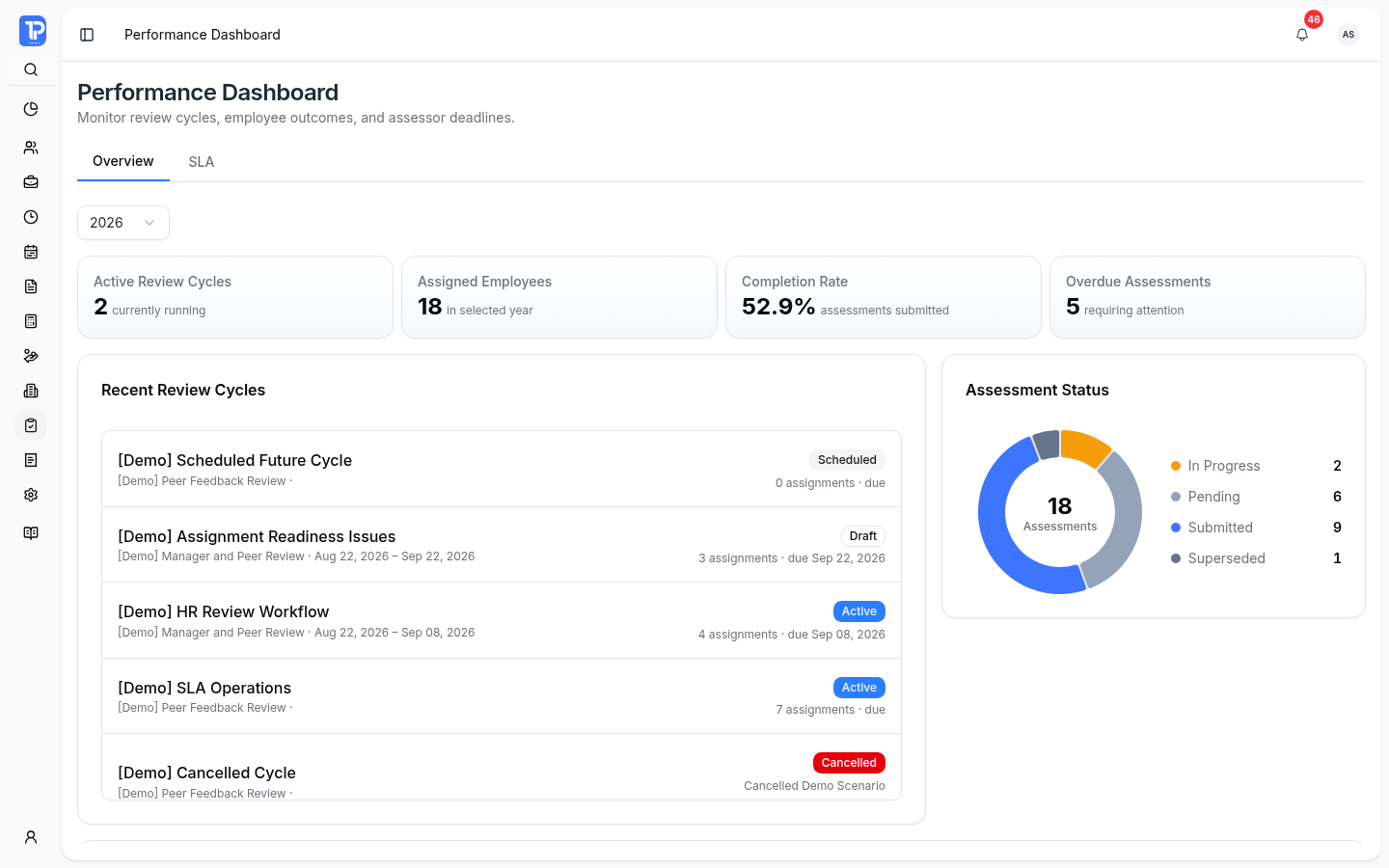
Follow review cycles, assessment completion, employee results, and assessor deadlines for the selected year.
Performance Dashboard
PRIMIS product preview with illustrative demo data.
Open original image in a new tab
-
Review cycle progress
The Overview brings current cycles and assessment statuses together for the selected year.
-
Employee completion
Follow submitted assessments and final-result readiness. Open authorized employee detail for the review context.
-
Assessor follow-ups
The SLA workspace exposes overdue assessors and routing exceptions. Authorized users can send eligible advisories or open coverage-resolution actions.
Build the questions. Define who contributes.
Separate questionnaire content from the review rules so HR can reuse an instrument while choosing the right coverage and assessors.
-
Questionnaires
Create sections, questions, and optional comments using the standard five-point rating scale. Preview the instrument or import a CSV, review compatibility issues, and save the questionnaire.
-
Review Templates
Select an active questionnaire, company or department coverage, assessor roles, instructions, and included or scored sections. Configure required assessor counts and the roles that contribute to the result.
How a review can be composed
1 required assessment
2 required assessments
Required Department Head submissions also pass through HR review before results become final.
Questionnaires contain the questions; Review Templates own the scoring and subject rules. Scored role weights must total 100%. Selecting a parent department does not automatically include its sub-departments.
Resolve coverage. Then schedule the cycle.
A Review Cycle defines the assessment period. Assessment Assignments identifies who reviews each employee and which required slots still need attention.
-
Review the proposed setup
Generate assignments for a draft cycle and review each employee's assessor coverage.
-
Resolve missing or conflicting assessors
Choose eligible replacements or record an authorized waiver with a reason and adjusted scoring weights. Eligibility, permissions, hierarchy, and availability are checked as the work proceeds.
-
Schedule after readiness checks
Schedule the cycle after required coverage is ready. Assignment generation and scheduling use background processes with visible queue, completion, and failure states; a queued action is not a completed launch.
Review the submissions. Make the result final.
Assessments separates individual task status from the Department Head review queue. HR can inspect a submitted revision, mark it reviewed, or return it with correction instructions.
-
Keep the revision history
Submitted revisions and HR decisions remain in the review history. HR checks completeness without replacing the Department Head's professional rating.
-
Respect final-result readiness
A result becomes final only after required coverage, submissions, and Department Head reviews are complete. Performance reports and attendance context depend on access and result readiness.
Explore the employee records behind each review
Performance Management requires Core; current configured plans include it, and it remains an add-on eligible catalog module. Confirm the entitlement for your organization with PRIMIS.
Questions about Performance Management
Questionnaires, assessor coverage, final review, and plan access.
Questionnaires contain reusable sections, questions, and optional comments using the standard five-point scale. Review Templates select the questionnaire and define coverage, assessor roles, instructions, and scoring rules.
Required assessor coverage and conflicts must be resolved before scheduling. Authorized users can choose eligible replacements or record permitted waivers with reasons and adjusted weights. Scheduling is queued and readiness is checked again before the cycle opens.
Required assessor coverage, assessment submissions, and Department Head HR reviews must be complete before a result becomes final. HR can mark a Department Head revision reviewed or return it for correction without replacing the professional rating.
Performance Management is a separate Core-dependent, add-on eligible module. Current configured plan bundles include it. Actions, reports, and attendance context depend on permissions and readiness; confirm your organization's actual entitlement with PRIMIS.
Build a performance review cycle your organization can trust.
Discuss questionnaires, assessor roles, cycle timing, assignments, review governance, and reporting with PRIMIS.