
Employee portal after separation
Choose full calendar days of Employee Self-Service access after the last working day. Changes apply to separations approved after saving and do not extend Company HRIS access.
Explore roles and portal accessAuthorized administrators use PRIMIS settings to manage workspace defaults, attendance and payroll policies, leave filing, recruitment configuration, and security controls.
Example monthly time savings
Example policy-review month for a 500-employee company: assumed minutes saved across the company on 120 policy lookups, 180 upload-rule checks, 120 security access checks, and 240 audit-event reviews.
Before changing a setting, check what it affects. A display format changes how information appears; a filing window affects eligible request dates already included in processed payroll. PRIMIS keeps workspace defaults and module policies in their own context for authorized administrators.

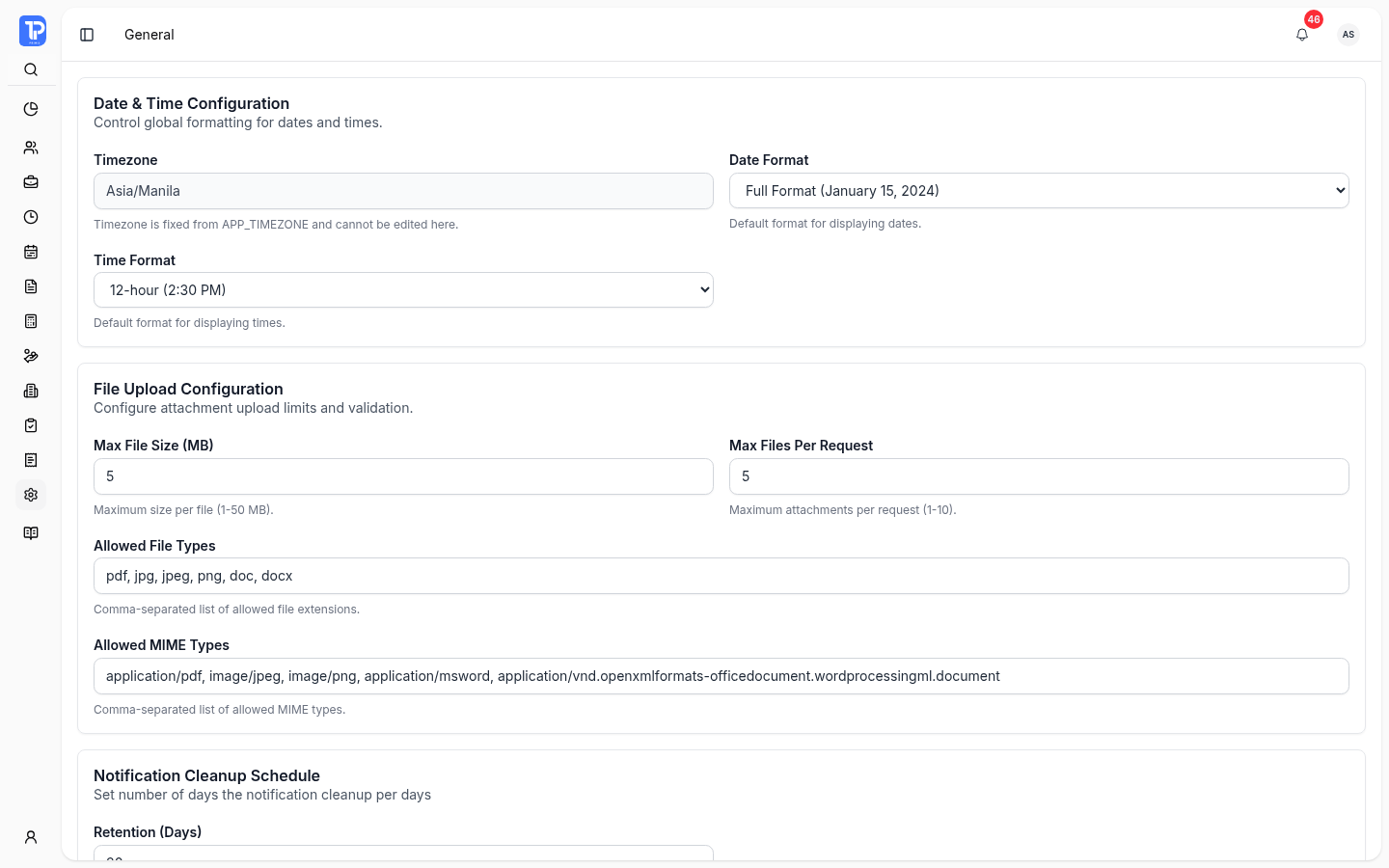
General settings bring display formats, attachment rules, notification retention, and employee account setup into one place for authorized administrators.
PRIMIS product preview with illustrative demo data.
Open original image in a new tab
Choose how dates and times appear. The application timezone is fixed on this page.
Set file size, attachment count, file-extension, and MIME-type limits for uploads.
Set notification retention and whether a new employee receives a linked user account.
Authorized compliance reviewers can schedule the annual review notification for retention-expired Form 2316 archives. The notification does not delete files or override legal holds.
Attendance, leave, payroll, and recruitment settings govern different work. Review the relevant rule and its limits before changing it.
Company policy controls this filing window. Future leave dates remain allowed. Filing eligibility does not approve the request.
Set clock-in windows, grace periods, night differential, break capture, and biometric shift matching. Correction and overtime backdate limits apply to dates already included in processed payroll.
Explore time and attendanceSet how far back an employee may file leave when payroll is already processed. This is separate from leave types, templates, and employee credits.
Explore leave policies and creditsConfigure computation and contribution bases, late and early-out deductions, special-holiday treatment, 13th-month projection, and final-pay coverage.
Explore payroll processingSet candidate retention, feedback reminders, resume-upload limits, and optional Calendar interview sync. Calendar use requires a connected account; settings do not activate the add-on.
Explore recruitment managementWork schedules remain authoritative for scheduled breaks. Disabling live break capture does not remove those breaks or change payroll fallback. Available controls follow module access and separate read or update permissions.
Access, Audit Logs, and Security handle separate questions: employee portal availability after separation, recorded company activity, and permitted networks.
Choose full calendar days of Employee Self-Service access after the last working day. Changes apply to separations approved after saving and do not extend Company HRIS access.
Explore roles and portal accessFilter current events by module, activity, date, status, or risk. Open an event for its actor, resource, request context, and recorded changes, or export filtered current logs as CSV.
Results remain company-scoped. Audit access has its own permission.
Maintain allowed addresses or network ranges with optional start and expiry dates. Company entries apply company-wide; individual entries apply to the selected user.
Enabling IP restrictions requires an eligible emergency-access user. Network rules complement account and role controls.
A closer look at update permissions, employee access, break capture, and Recruitment setup.
Authorized administrators can change the settings covered by their permissions and company context. Read and update permissions are separate, and available controls depend on the relevant module. Security and audit access have their own permissions.
No. Access settings control full calendar days of Employee Self-Service availability after the last working day. They do not extend Company HRIS access. A changed grace period applies to separations approved after it is saved.
No. Turning off live break capture hides the employee break actions. Work schedules remain authoritative for scheduled breaks, and disabling capture does not remove those breaks or change payroll fallback.
No. Recruitment settings do not activate the Recruitment add-on. Calendar interview sync requires module access, the enabled setting, and a connected Google Calendar account. PRIMIS email remains the fallback when calendar sync is unavailable.
Review your policy, access, payroll, attendance, leave, recruitment, and security requirements with the PRIMIS team.
Enter the workspace code provided by your organization.