
13th-month pay
Review annual coverage, calculated bonus and net totals, approval state, and available payslips or reports.
PRIMIS payroll software helps Philippine teams review pay periods, employee results, earnings, deductions, approvals, and statutory liabilities in one workspace.
Example monthly time savings
500-employee example: estimated time saved across the company for two pay runs per month. Payroll processing scales a 50-employee simulated pay run that took 5 minutes, assuming the same processing rate; preparation and review time are additional. Other cards assume 360 compensation and allowance checks, 120 request reviews, and 32 group-level period checks. Examples can overlap.
Compensation changes, allowances, reimbursements, and adjustments need to reach the right pay run. PRIMIS helps HR review employee results within a pay period and follow the configured approval steps before marking payroll as paid.

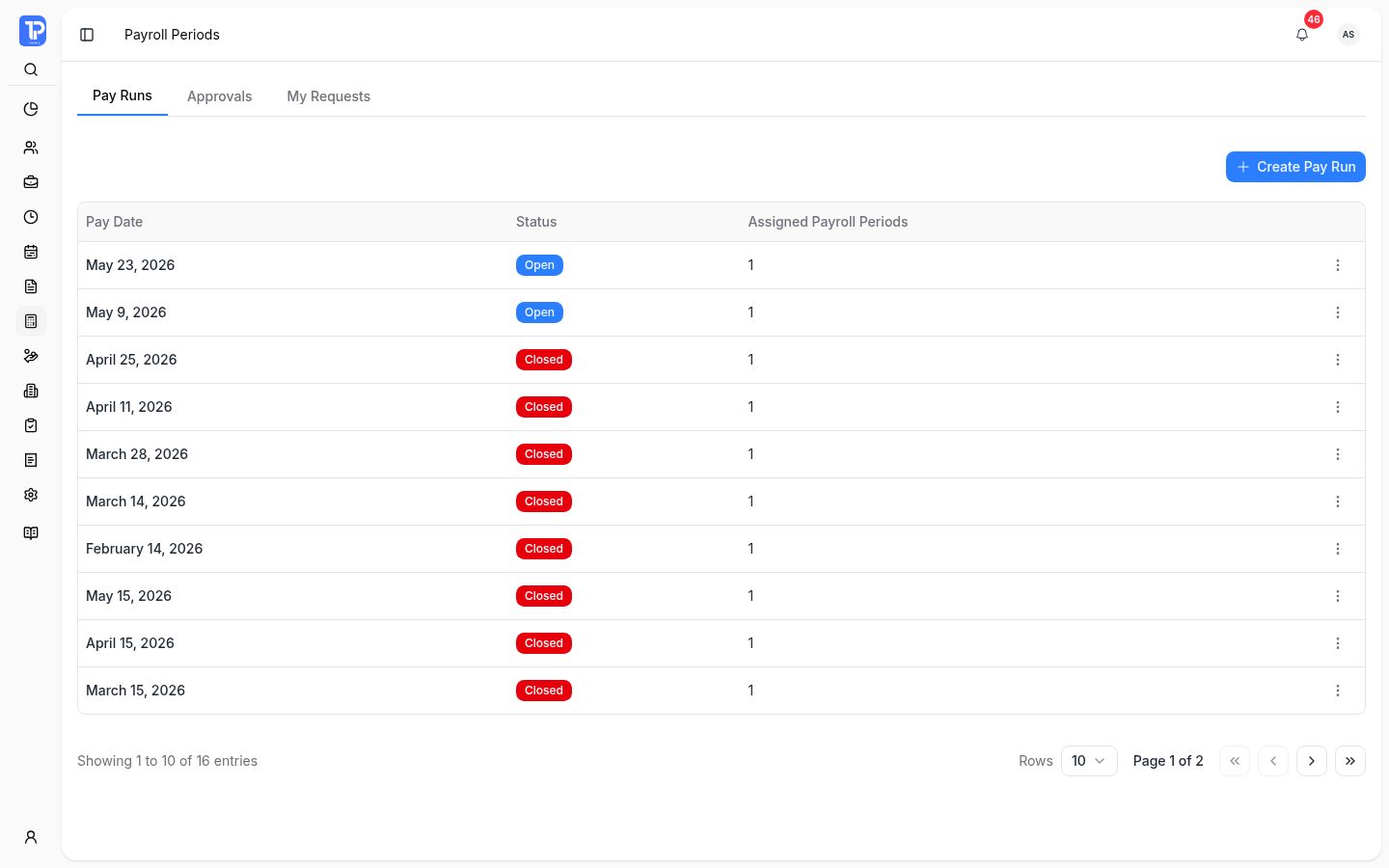
Check the pay date, covered employees, and processing state together. Pay Runs, Approvals, and My Requests give authorized users different views of the work before payday.
PRIMIS product preview with illustrative demo data.
Open original image in a new tab
Organize periods under a pay run. Open a period to check its payroll group, covered dates, and statutory period.
Review gross pay, deductions, net pay, and individual payslips. Inspect calculation failures and retry eligible employee records.
Follow the configured approval flow and settlement activity. Calculation, approval, marking as paid, and closing remain separate controlled actions.
Employee compensation, allowances, reimbursements, and adjustments keep their own records. Review the earning and deduction components that make up an employee’s result.
Earnings less deductions.
Review salary, pay basis, payroll-group assignment, and configured earning or deduction item types.
Configure regular or de minimis allowance types and reusable templates. Authorized staff can assign templates to employees or selected employees in bulk, subject to company and eligibility rules.
Inspect expense dates, receipts, signed adjustment amounts, taxable-income treatment, approval flow, and settlement activity. Automatic adjustments have their own processing view.
Changes remain reviewable. Changes affecting already processed attendance may require an adjustment or explicit recalculation. They do not silently rewrite completed pay.
Annual 13th-month periods, employee final-pay settlements, and statutory liabilities have their own records and actions alongside regular payroll.
Review annual coverage, calculated bonus and net totals, approval state, and available payslips or reports.
Review a separation-linked settlement’s earnings, additional pay, deductions, receivables, and activity. Approving a separation request does not complete final pay.
Follow SSS, PhilHealth, and Pag-IBIG employee and employer shares through calculated, finalized, and remitted records.
Government Rates and Hourly Rate Multipliers show configured calculation inputs. Review the applicable rules; recording a remittance in PRIMIS does not make a payment to an agency.
A closer look at access, processed payroll, final pay, and template availability.
Access depends on payroll permissions, the configured approval flow, requester or approver responsibilities, and the period’s current state. Calculation, submission, approval, marking as paid, and closing are separate actions.
No. Changes affecting already processed time may require a payroll adjustment or explicit recalculation. Teams must review the affected records and the actions allowed for the period.
No. Final pay is a separate settlement linked to a separation request, with its own calculation, approval, and release actions.
Payroll document, email, and report template configuration is not currently available. It is separate from the implemented allowance templates and Reports Hub saved templates.
Discuss pay groups, attendance inputs, statutory rules, approvals, reports, and implementation scope with the team.
Enter the workspace code provided by your organization.