
Turn workforce records into reports people can act on.
Find the right report, apply its governed scope, choose available columns, preview the result, and preserve the delivery history in one reporting workspace.

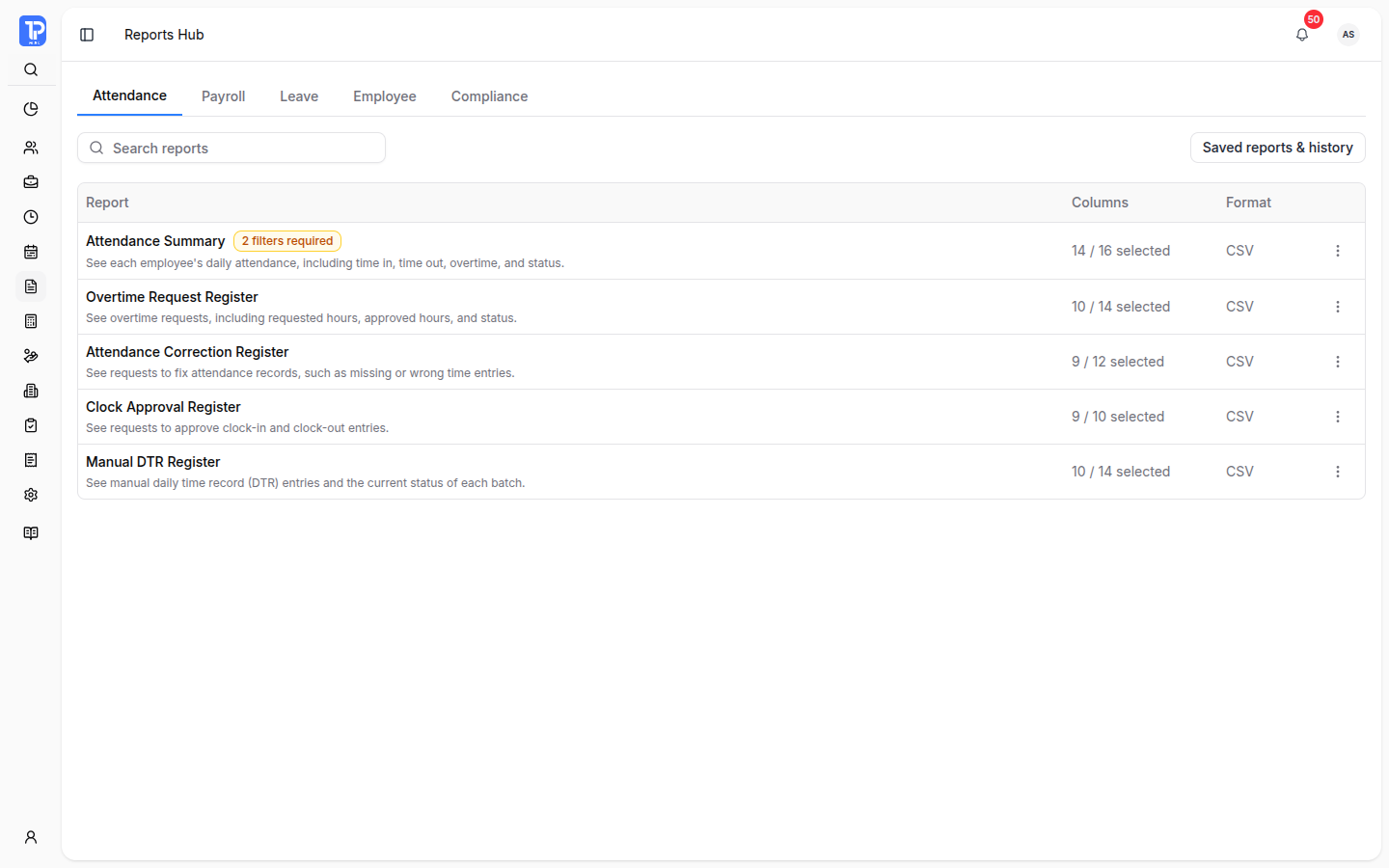
Report delivery register
Keep report selection, required scope, preview readiness, and delivery state visible before an export is released.
Synthetic product demonstration
Build each report around a real operational question
Move from catalog discovery to scoped setup, preview, export, reuse, and scheduled delivery without separating the output from its reporting context.
- 01
Searchable report catalog
Find authorized reports across attendance, payroll, leave, employee, and compliance categories from one workspace.
- 02
Scoped report setup
Apply each report's available period, employee, department, status, and operational filters before it runs.
- 03
Column and output control
Choose the available columns and output configuration defined for the selected report.
- 04
Preview before export
Generate a bounded preview and review its scope before creating an authorized export.
- 05
Reusable setups and history
Save report templates, return to prior configurations, and review processed-report history and status.
- 06
Split and scheduled delivery
Plan supported split exports and manage scheduled reports when the workspace and permissions allow them.
A report stays connected to how it was prepared.
Reports Hub carries the selected definition, filters, columns, preview, permissions, and delivery state through one controlled workflow.
- 01Select
Start from the governed catalog
Choose an available report by operating area, then review its purpose, required filters, supported columns, and output options.
- 02Verify
Scope and preview the result
Configure the report, generate a preview, and confirm that the selected rows and fields match the question being answered.
- 03Deliver
Export with reusable context
Create the authorized output, save useful setups, inspect processing history, or schedule supported recurring delivery.
Implementation note Reports Hub is included in Core. Available reports, filters, columns, output formats, templates, split exports, schedules, and history scope depend on report definitions, workspace configuration, data readiness, plan access, and permissions.
Reports Hub questions
The report catalog includes authorized reports across attendance, payroll, leave, employee, and compliance categories. Exact reports depend on the current workspace, plan, and permissions.